Prerequisites#
1. Install VS Code#
Apple silicon (M1, M2, M3, M4, or later): choose ARM64.
2. Install the Claude Code extension#
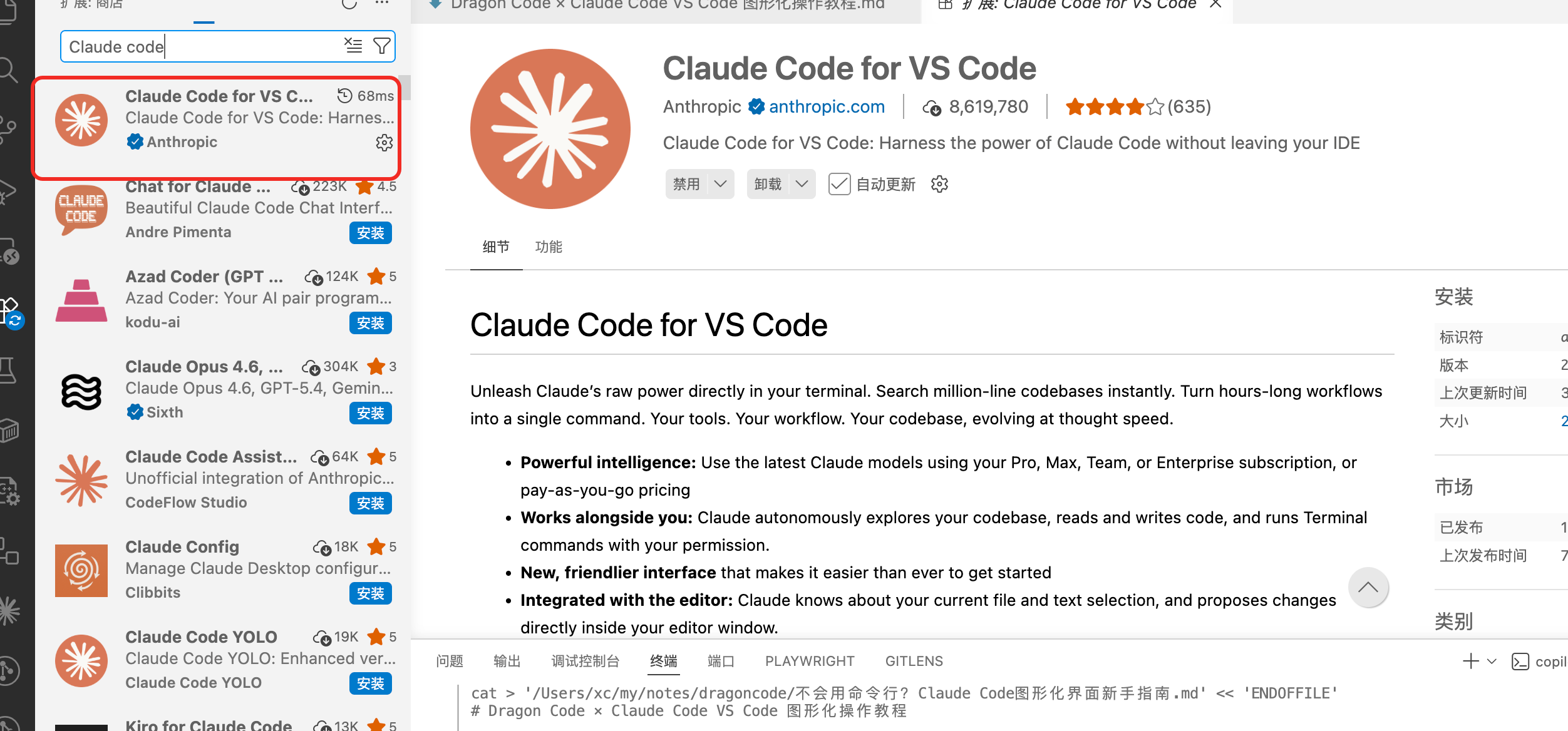
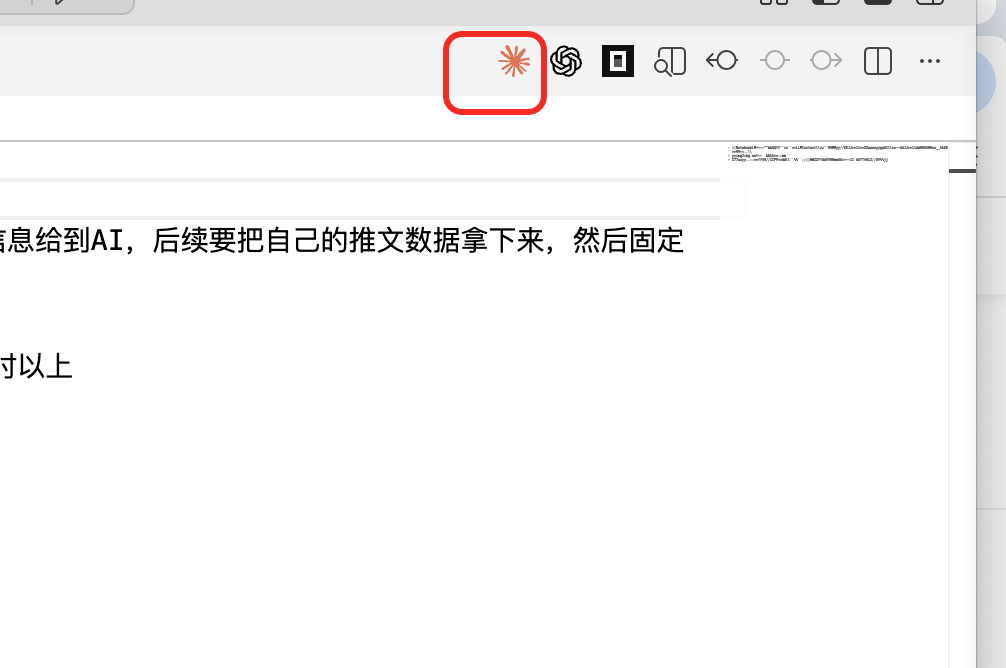
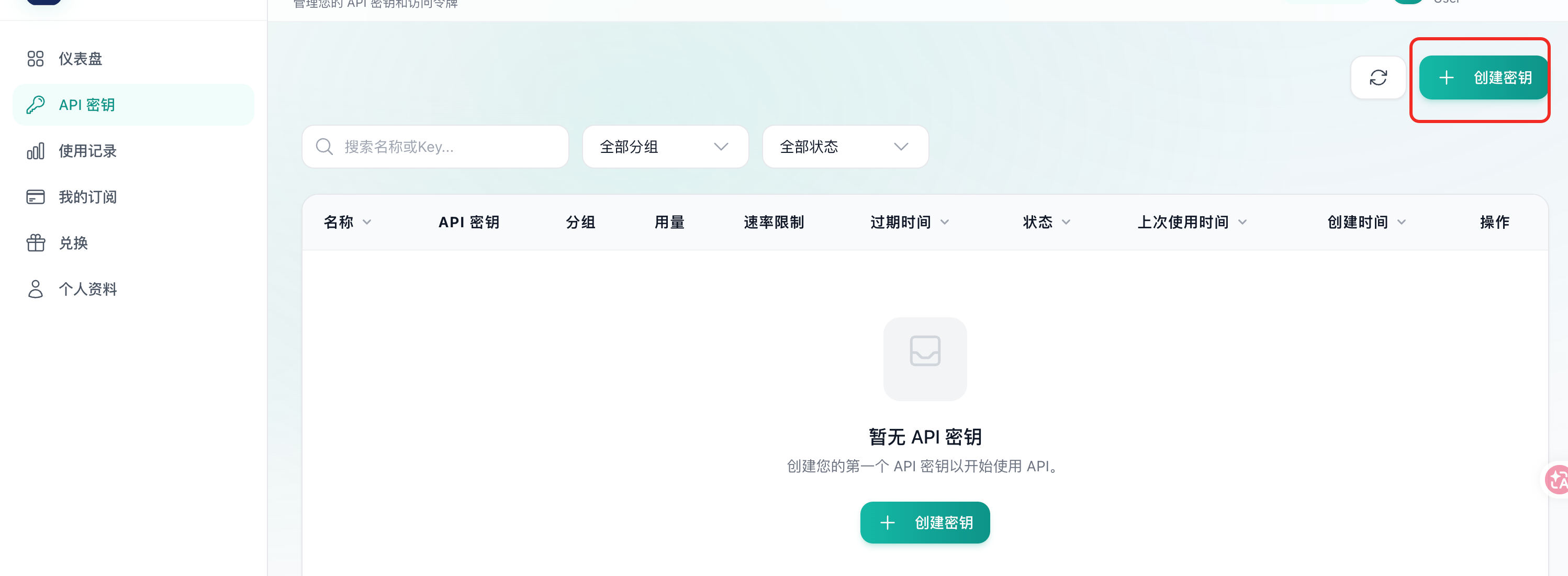
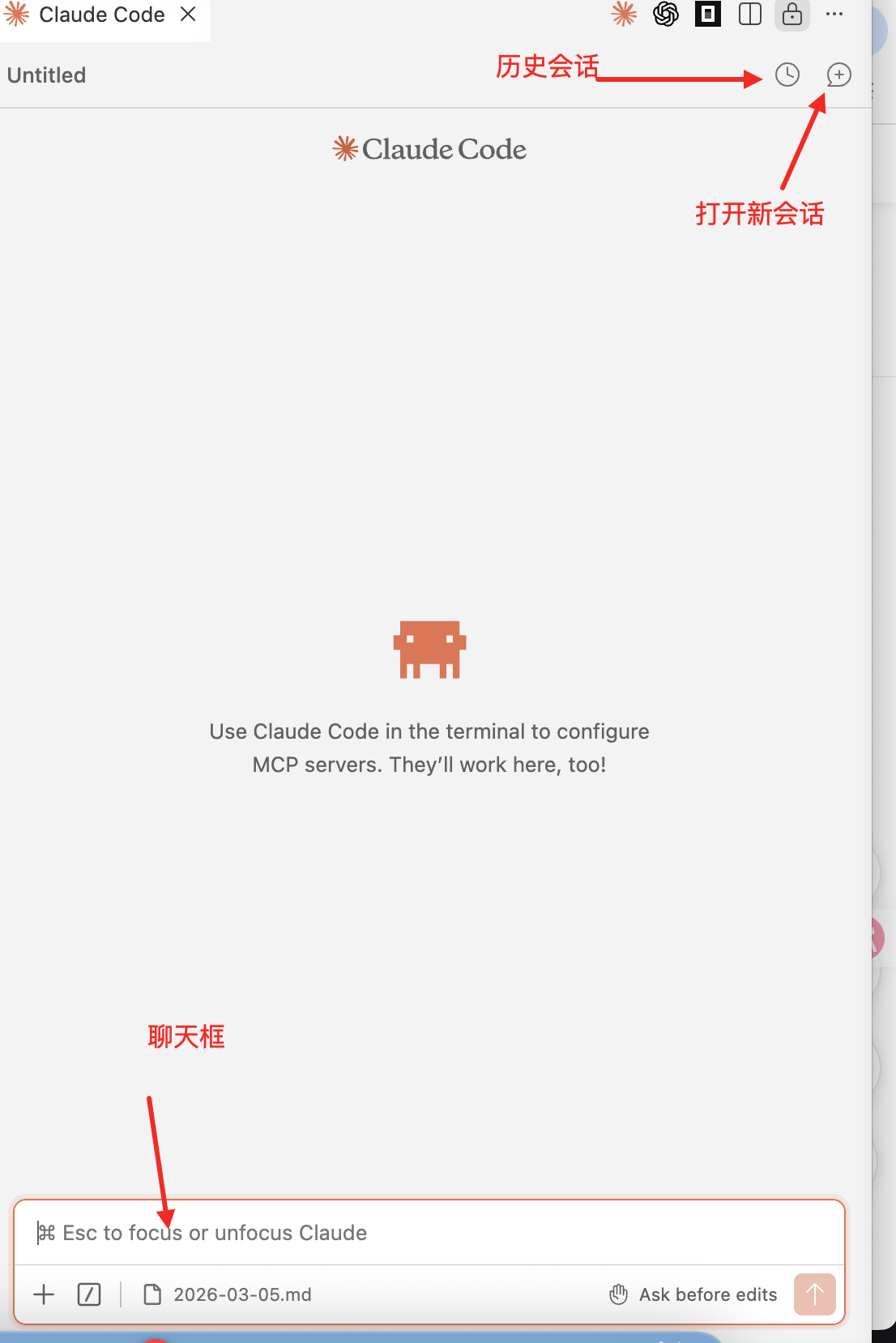
In VS Code, open Extensions, search for Claude Code for VS Code, confirm that the publisher is Anthropic, and select Install.Open a project, then select the Claude Code icon in the editor toolbar.3. Create an AnyRoute API key#
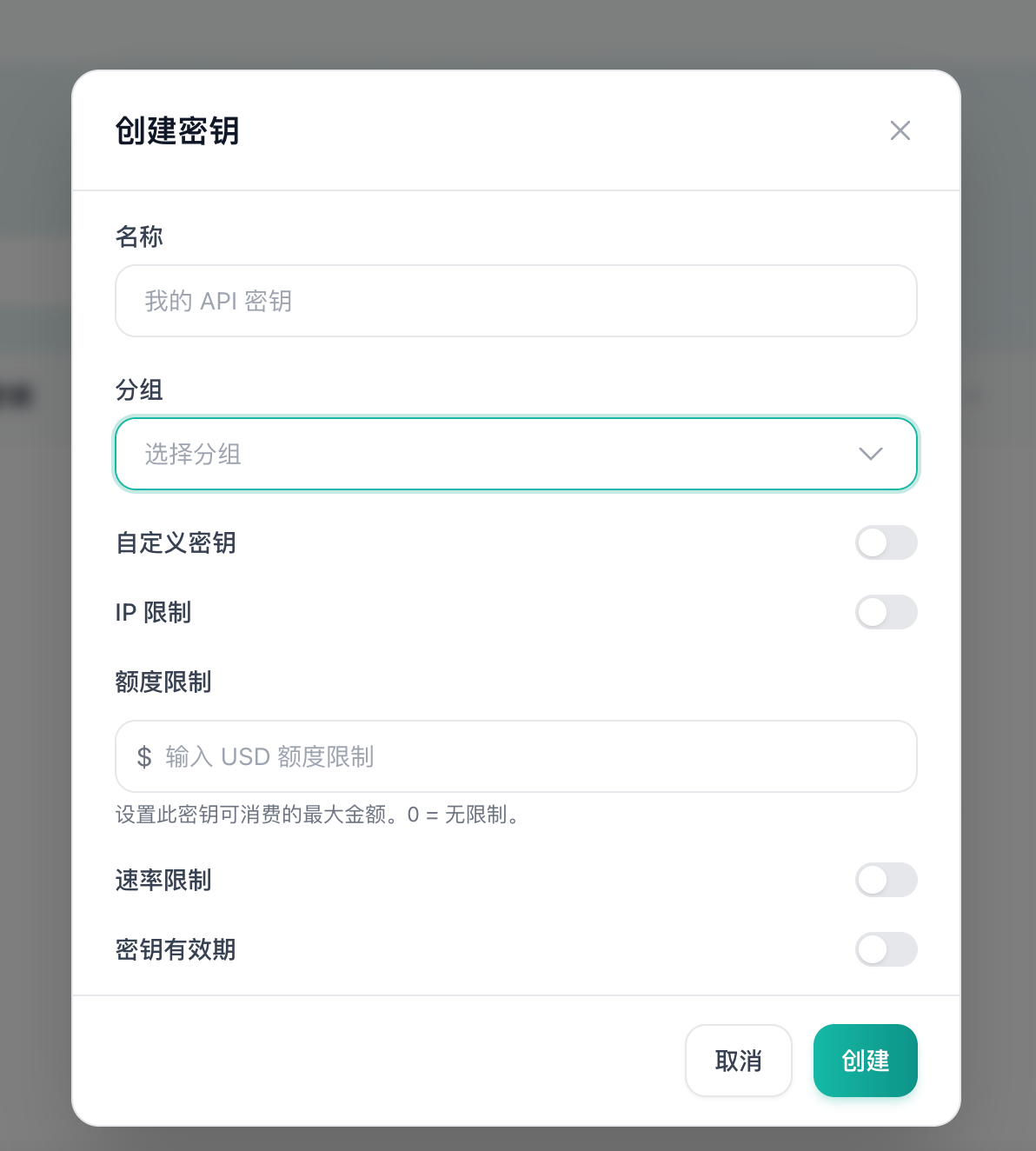
3.
Enter a name and select a Claude-compatible group.
4.
Optionally configure IP restrictions, a spending limit, a rate limit, and an expiration date.
Never commit or publicly share an API key.
Option A: CC Switch (recommended)#
Download CC Switch from the GitHub Releases page. In AnyRoute, select Import to CCS, then enable the imported Claude configuration.Option B: environment variables#
$env:ANTHROPIC_BASE_URL = "https://cc.anyroute.io"
$env:ANTHROPIC_AUTH_TOKEN = "YOUR_API_KEY"
5. Skip the official login prompt#
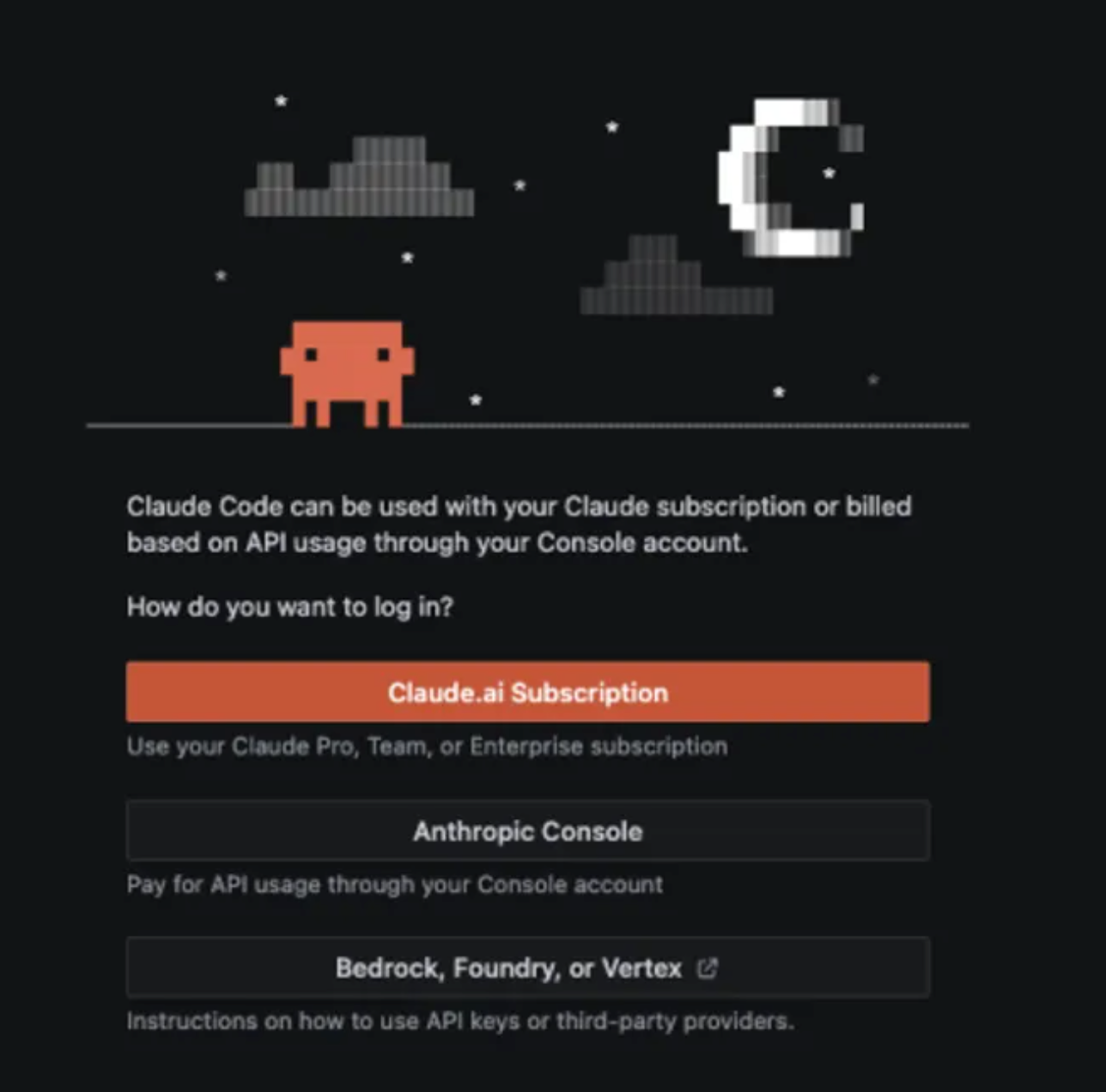
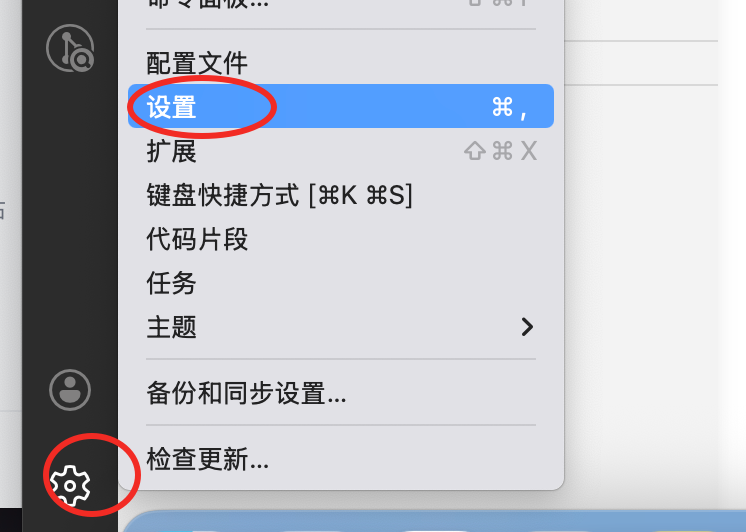
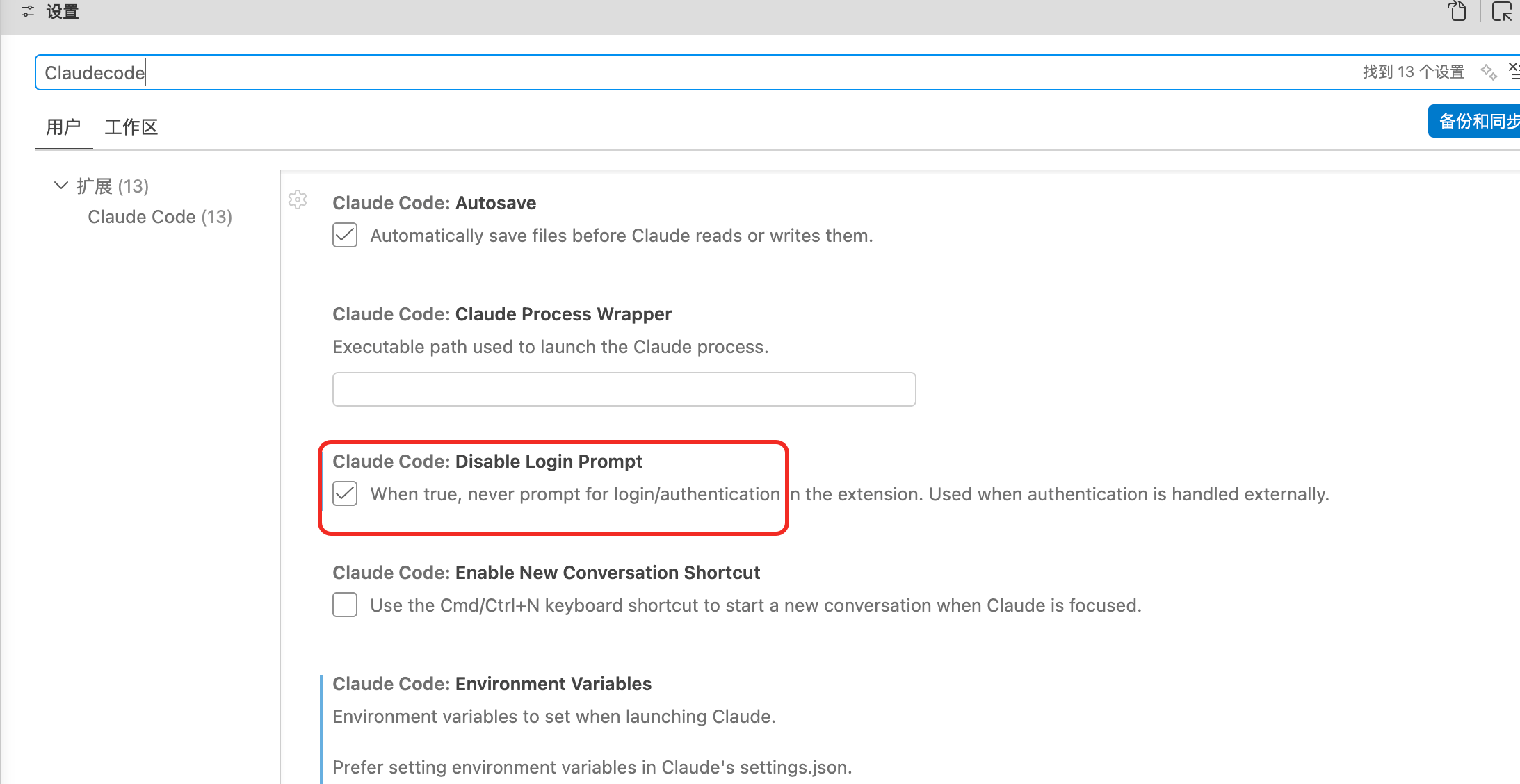
When the extension first opens, it may display Anthropic sign-in options. With the AnyRoute environment configured, wait briefly for the extension to detect the provider.If the prompt remains, open VS Code settings, search for Claude Code, and enable Disable Login Prompt if that option is present in your installed extension version.6. Start using the extension#
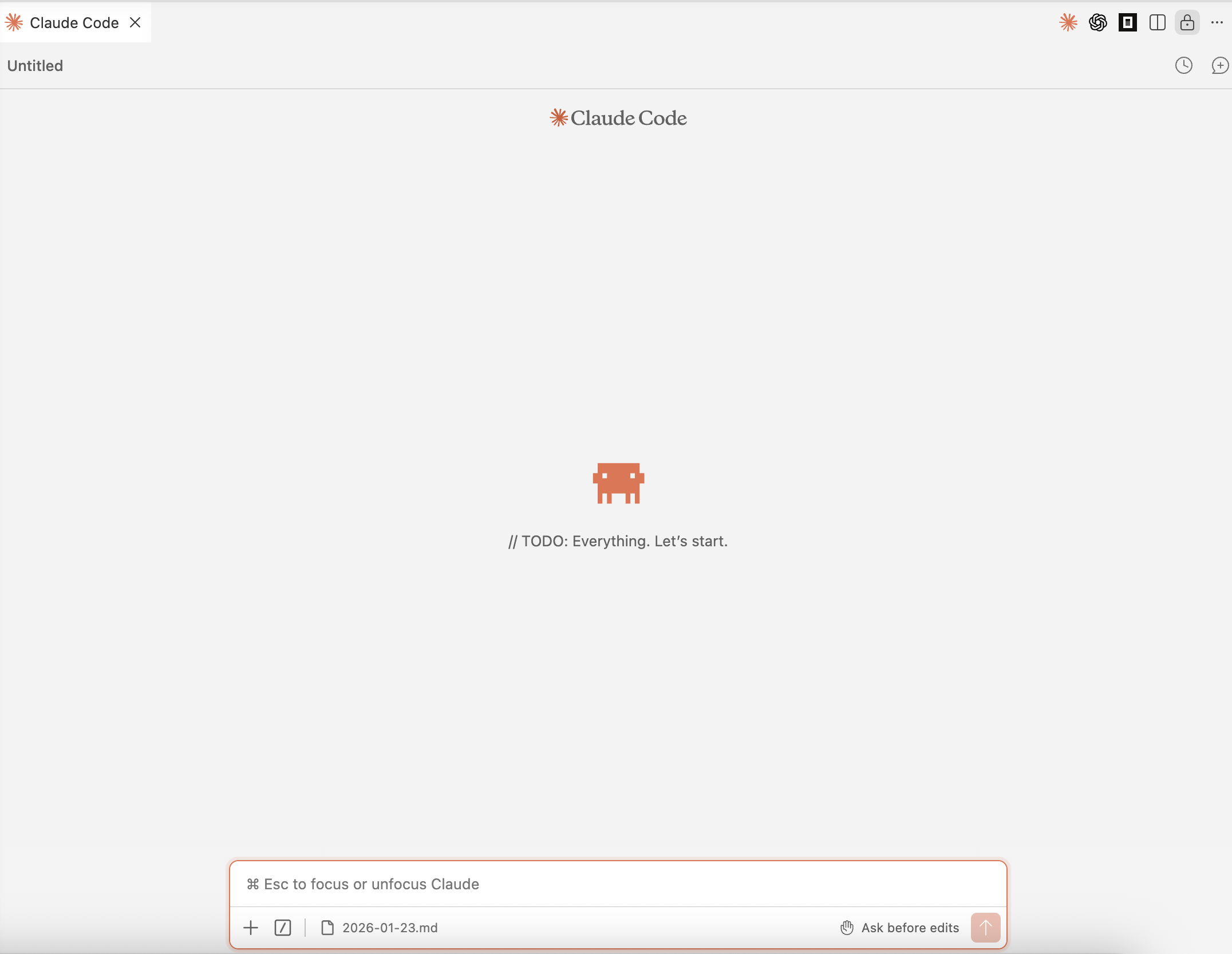
Describe the task in the input box. Claude Code can inspect and, subject to your selected permissions, modify the current workspace.7. Working modes#
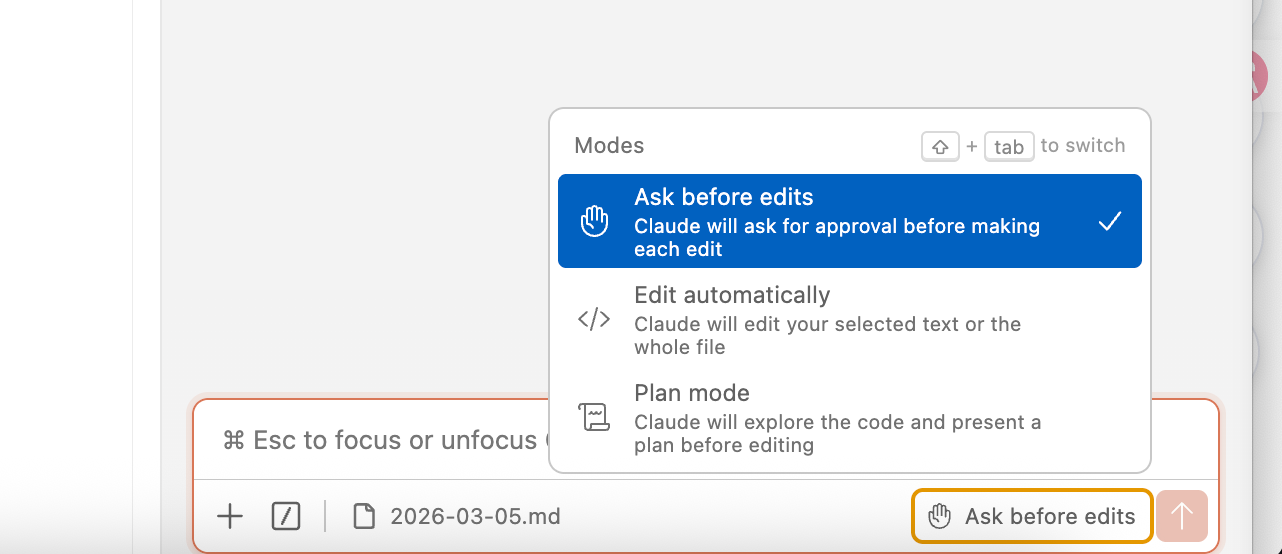
Ask before edits#
Claude displays proposed changes and requests confirmation before writing. Use this for unfamiliar tools and sensitive repositories.Edit automatically#
Claude writes without per-edit confirmation. Use it only for well-scoped work, then inspect the Git diff and run appropriate tests.Plan mode#
Claude inspects the project and proposes an implementation plan before editing. Use it for refactors, multi-file work, and architectural changes.Additional features#
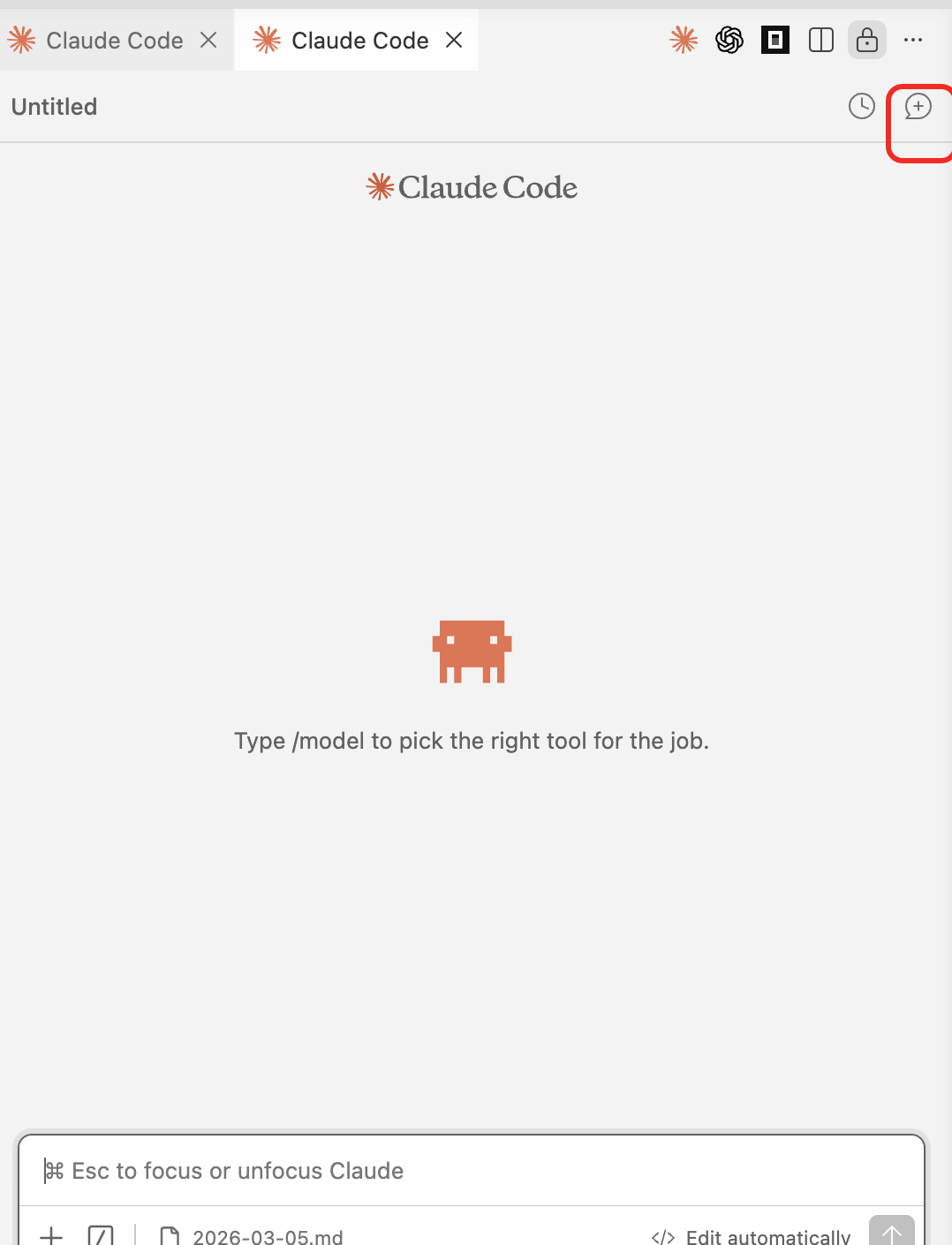
Multiple panels#
Use the + button to open additional Claude Code panels for independent tasks such as implementation and testing.Reference a project file#
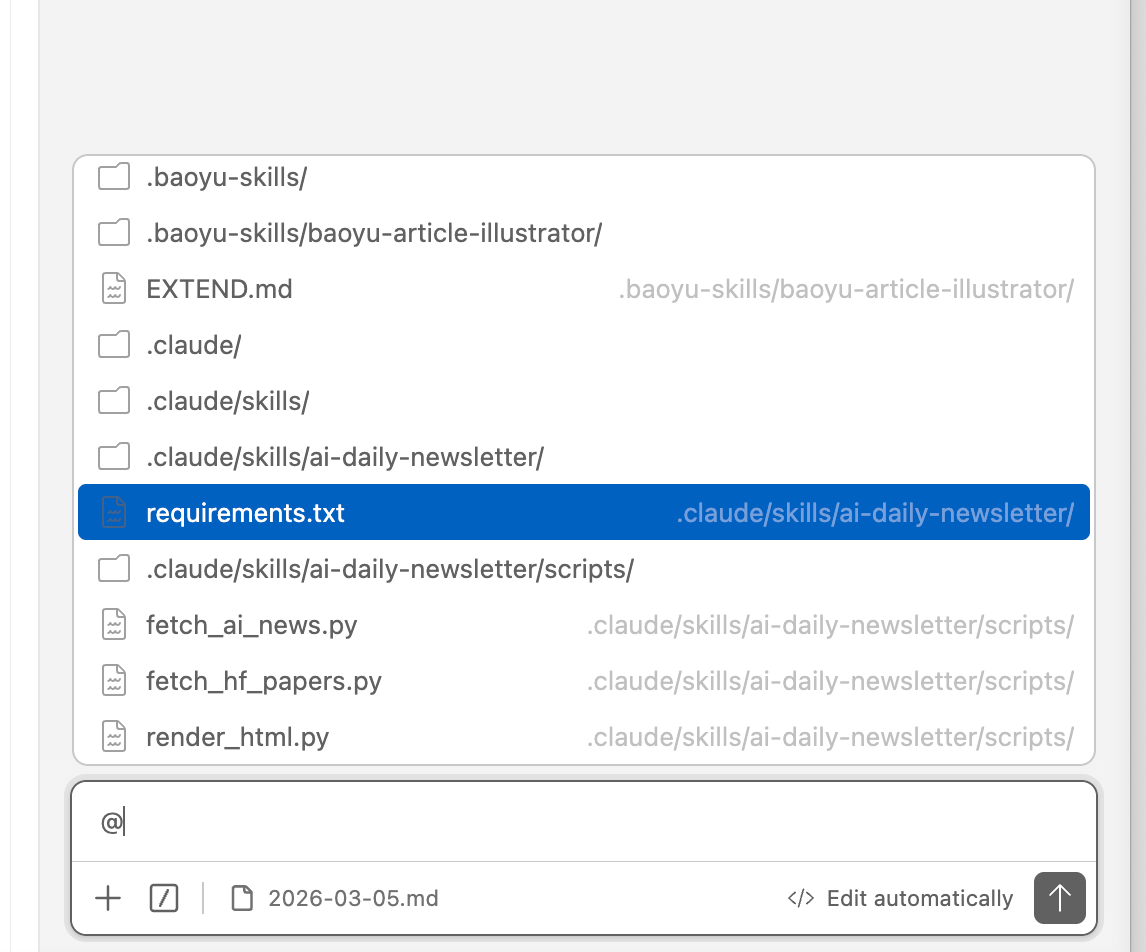
Type @ and select a file to add it to the conversation context.Attach a file#
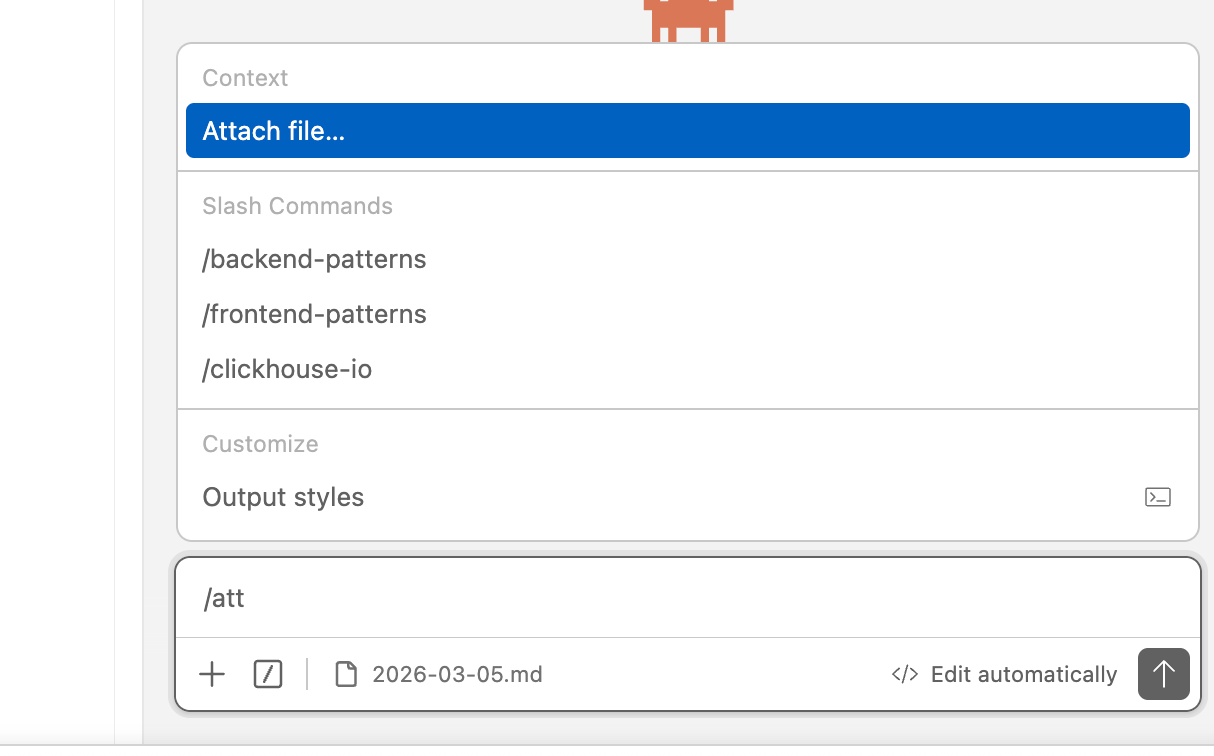
Use /attach file when supported by the installed version.Switch models#
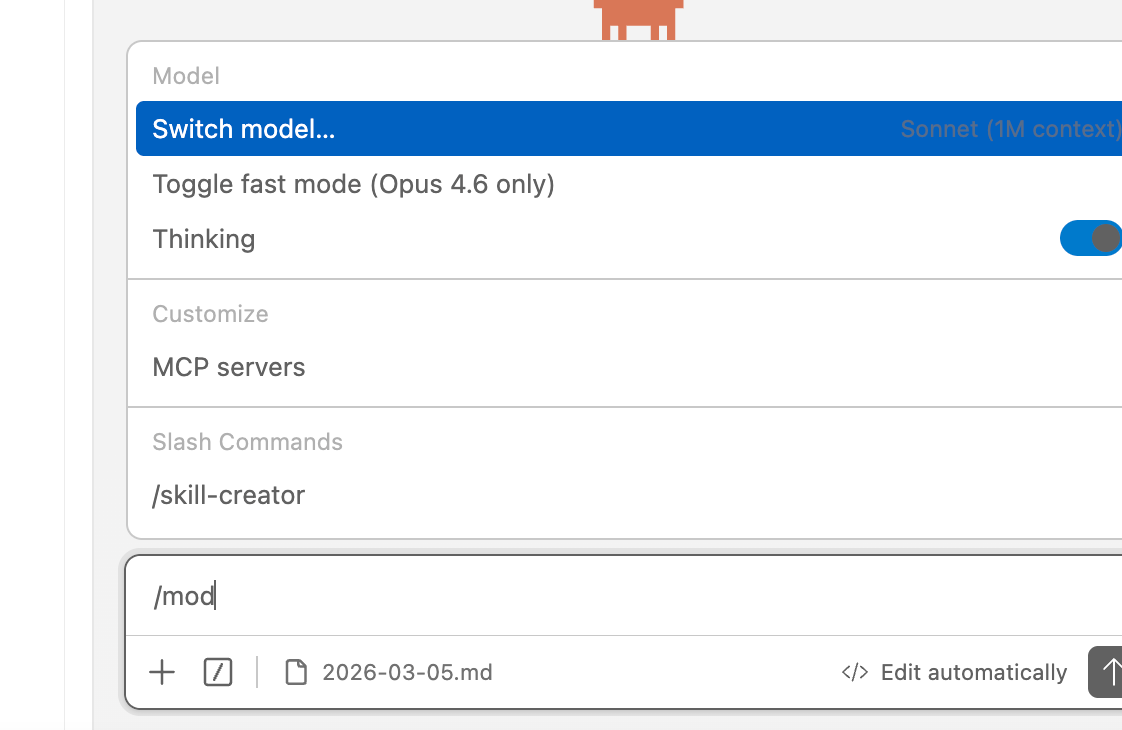
Use /model and select Switch Model.Troubleshooting#
The Claude Code icon is missing#
Confirm that the Anthropic extension is installed and enabled, then restart VS Code and open a project.The login prompt remains#
Open the extension settings and enable Disable Login Prompt if available. Also confirm that VS Code received the AnyRoute environment variables.HTTP 401 or connection failure#
Check ANTHROPIC_BASE_URL, ANTHROPIC_AUTH_TOKEN, key expiration, and the selected group.How do I change models or billing groups?#
Create a key for the required group in the AnyRoute console, then switch profiles in CC Switch.
Join AnyRoute WeChat Group
To get support for AnyRoute

 scan QR code
Modified at 2026-07-24 19:05:46