Cherry Studio Quick Start
Purpose#
This guide connects Cherry Studio to AnyRoute and verifies the connection.Quick configuration#
Base URL: https://cc.anyroute.io
API key: a key created in AnyRoute
Model ID: for example, claude-opus-4-6
1. Before you begin#
Confirm that Cherry Studio is installed and that you have an AnyRoute account and API key.Create an API key#
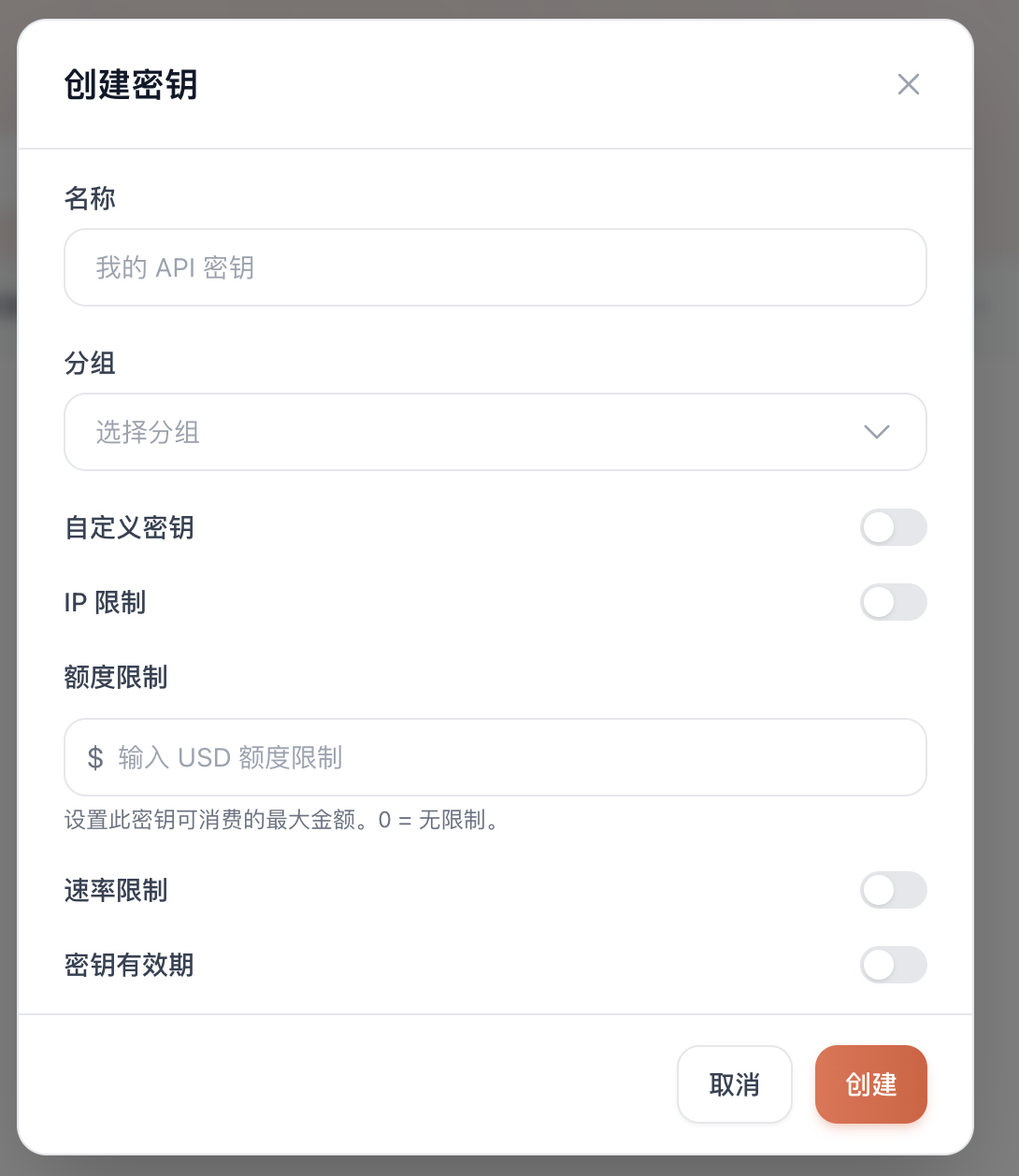
3.
Enter a name such as cherry-studio.
4.
Select a group that matches the provider type and models you plan to use.
5.
Keep the other settings at their defaults unless you need restrictions.
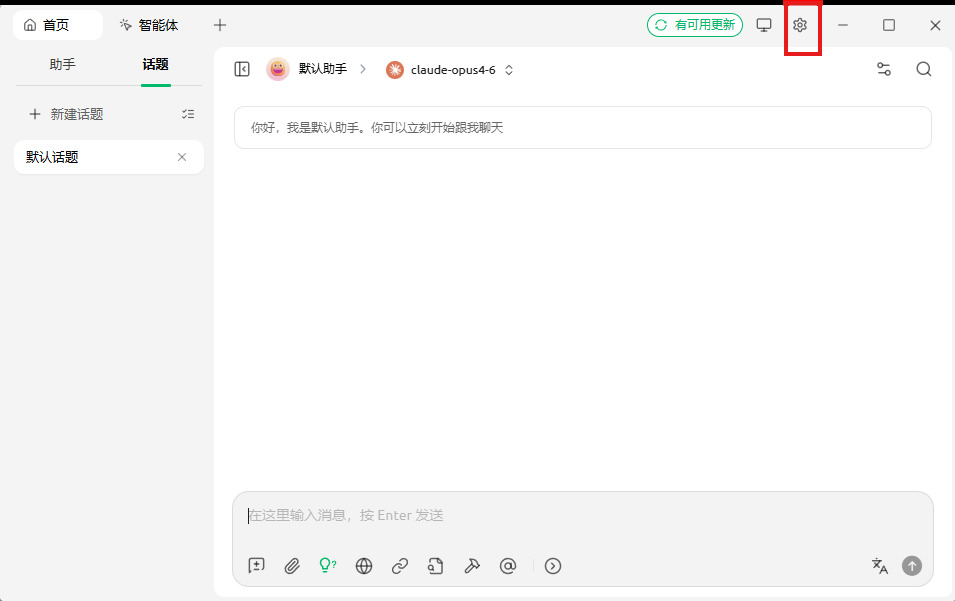
2. Open Cherry Studio settings#
Open Cherry Studio and select Settings.3. Add AnyRoute as a provider#
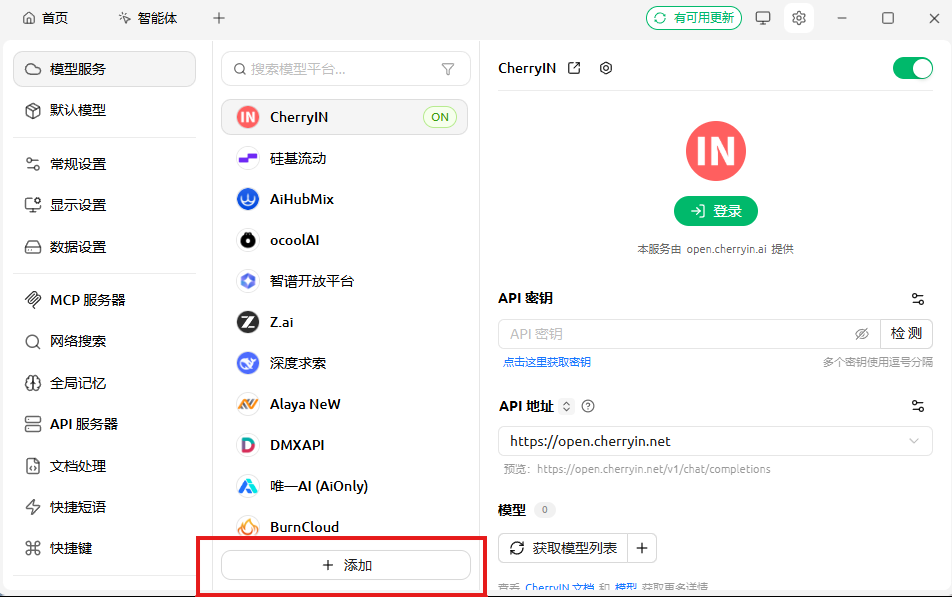
1.
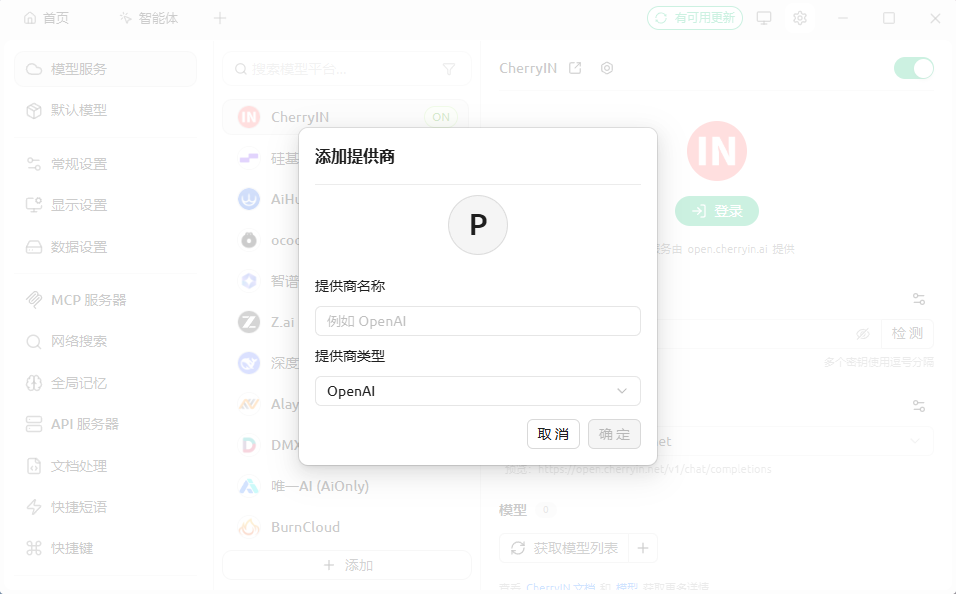
Under model services, select Add. 2.
Enter a provider name such as AnyRoute. 3.
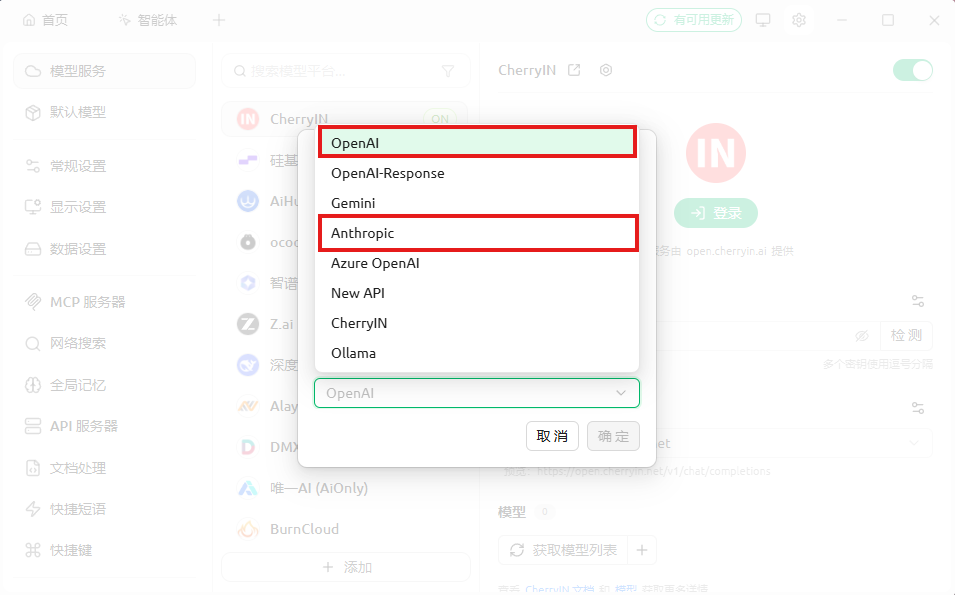
Select OpenAI or Anthropic according to the model family and key group. 4.
API key: your AnyRoute key
API address: https://cc.anyroute.io
Match the key group to the provider type: use a Codex/OpenAI-compatible group for OpenAI-type models and a Claude/Anthropic-compatible group for Anthropic-type models.
Supported models#
OpenAI-compatible examples#
Anthropic-compatible examples#
Select Check or Test. Continue when Cherry Studio reports a successful connection.4. Verify with a chat#
1.
Create a new conversation.
2.
Select the model you added.
3.
Send a short test message such as Hello.
Troubleshooting#
HTTP 503#
The selected model route may be unavailable or busy. Retry later or select another available model.HTTP 502#
The upstream model connection failed. Wait briefly and retry, or select another model.AI_RetryError#
Automatic retries were exhausted, usually after repeated upstream errors. Try another model or retry later.HTTP 401 or 403#
Copy the key again and confirm that the provider type matches the key group.HTTP 400#
Check that the API address is https://cc.anyroute.io and that the model ID exactly matches a supported model.The request keeps loading#
Start a new conversation, restart Cherry Studio, check the network connection, or switch models and groups.One-minute checklist#
| Setting | Expected value |
|---|
| Base URL | https://cc.anyroute.io |
| API key | Complete, active, and without spaces |
| Model ID | Exact supported model ID |
| Group and type | OpenAI-compatible group ↔ OpenAI; Claude-compatible group ↔ Anthropic |

Join AnyRoute WeChat Group
To get support for AnyRoute

 scan QR code
Modified at 2026-07-24 19:03:56